✕
Test Lab
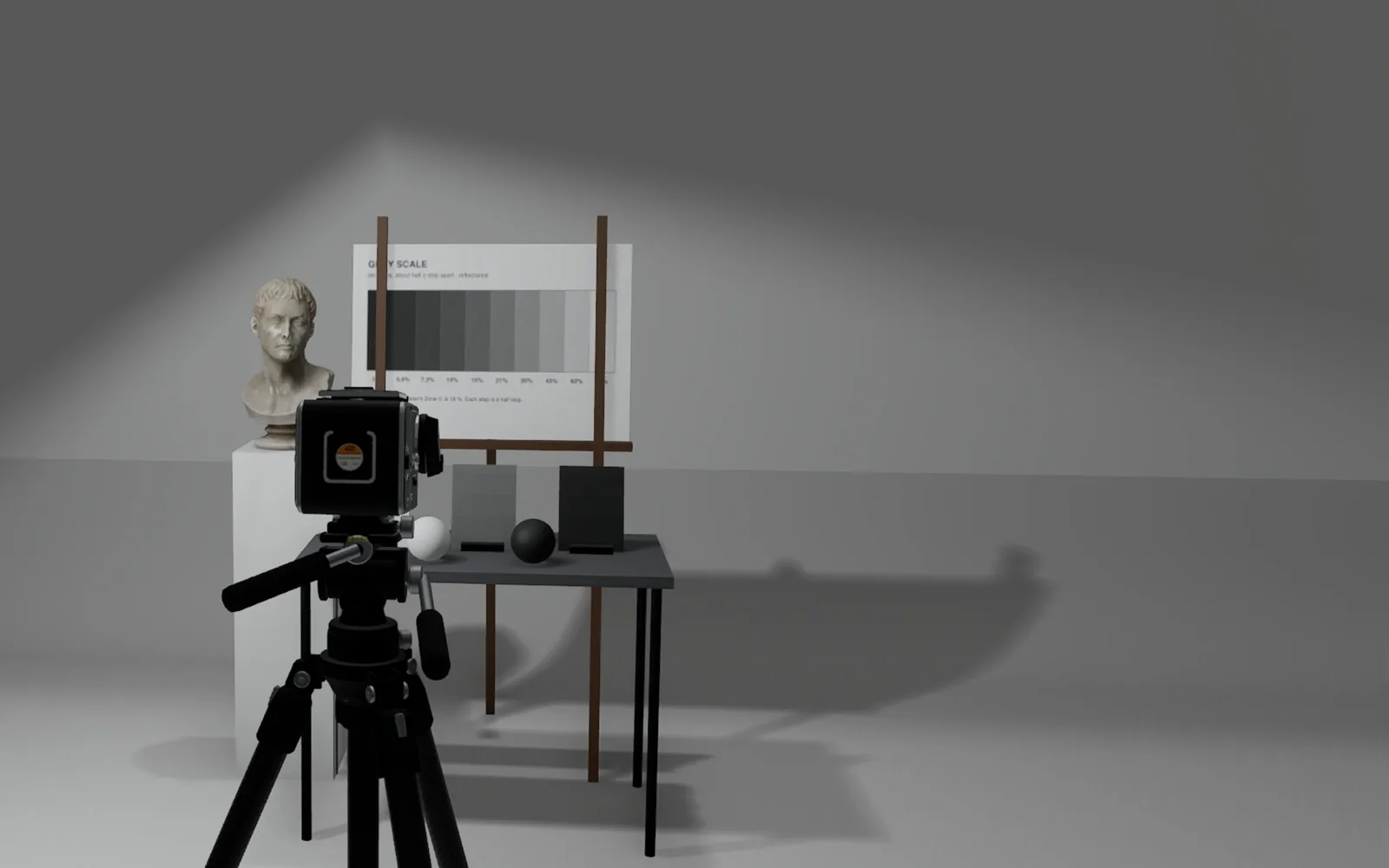
A grey-scale chart and three cards of known grey under one soft box. Open Light Meter , set the exposure and shoot a test frame: the 18 % card should print middle grey.
Pick a camera Press METER Take photo
503CX · 80mm
DoF —
1:1
✕
Portra 400
Drag to aim · click to spot · double-click to focus
—
Preview ⇧D
Light & SetC
Explore
WalkV
Wait for wildlife
Landmarks
Page
SoundN
ShareK
About?
503CX Portra 400 80mm Filter
3D Cam Open hoodO
Look inI
LoupeZ
DepthX
Tripod headH
Take apartE
Setup
01 / 12
Meter
Where to stand One place: the test room.
Click the floor to carry the tripod there · W A S D or the arrows to walk · Esc when you're done
✕
About this page
A white room for testing.
A plain white room with a cove floor, lit by a soft box at 45° and a large ceiling panel. On the easel, a ten-step grey scale from 3.5 % to 88 % reflectance; on the table, white, 18 % grey and black cards and a white and a black ball; beside them, a marble bust to focus on. Put any of our cameras on the tripod (Camera in the controls), meter the cards and shoot a test roll. The Loft Studio and Yosemite are for pictures; this room is for seeing what a meter, a film and an exposure do to known greys.
How to shoot & explore
Pick a camera: Choose Camera, Film, Lens and Filter in the camera controls. Every camera in the camera library works here.Walk the room: Press W A S D , or click Walk (V ) and click the floor to carry the tripod.Configure & meter: Pick Camera, Film, Lens, and Filter in the camera controls, press Meter (M ) to set exposure (from the incident dome or preview spots), and toggle Histogram (G ) above the controls anytime.Focus & shoot: Double-click the framing preview or drag Focus , then press the gold shutter button (F ).
Keyboard shortcuts
Camera Controls & Meter
Show / hide Histogram G
Show / hide preview ⇧D
Meter exposure M
Release shutter F
Next / prev lens L
Aperture f-stop [ ]
Shutter speed − =
Focus distance , .
Aim camera ← ↑ ↓ →
Explore the Room
Walk floor plan W A S D
Where to stand B
Click-to-walk mode V
Pause / time speed P T
Sound / share link N K
3D Camera & Finder
Show / stow 3D camera ⇧C
Open hood / Dark cloth O
Look in / Step back I
Loupe / Preview depth Z X
4×5 shutter / Holder / Slide X J ⇧J
Movements / Fold (4×5) R ⇧E
M6 frame lines / Explode Q E
Tripod head / Close panel H Esc
What's real (Light, Optics & Film)
The light. The soft box and the ceiling panel are calibrated area lights in lux (about 1600 lux from the key on the set), daylight-balanced at 5600 K, with the white room's bounce.The film. Characteristic curves, grain, halation and filter responses are the iOS app's own code, ported line for line.The optics. Field of view, depth of field and aperture scales come from published optical datasheets. Ground-glass cameras invert and show wide open until stopped down; rangefinders show frame lines and parallax.
Credits & sources
The marble bust: Poly Haven (CC0) photo scan. The room, the chart and the cards are drawn by the page. Built with three.js.
Grinding the glass…
Setting up the test room — a few seconds the first time.