GlassMeter · DUMBO, Brooklyn
Loft Studio
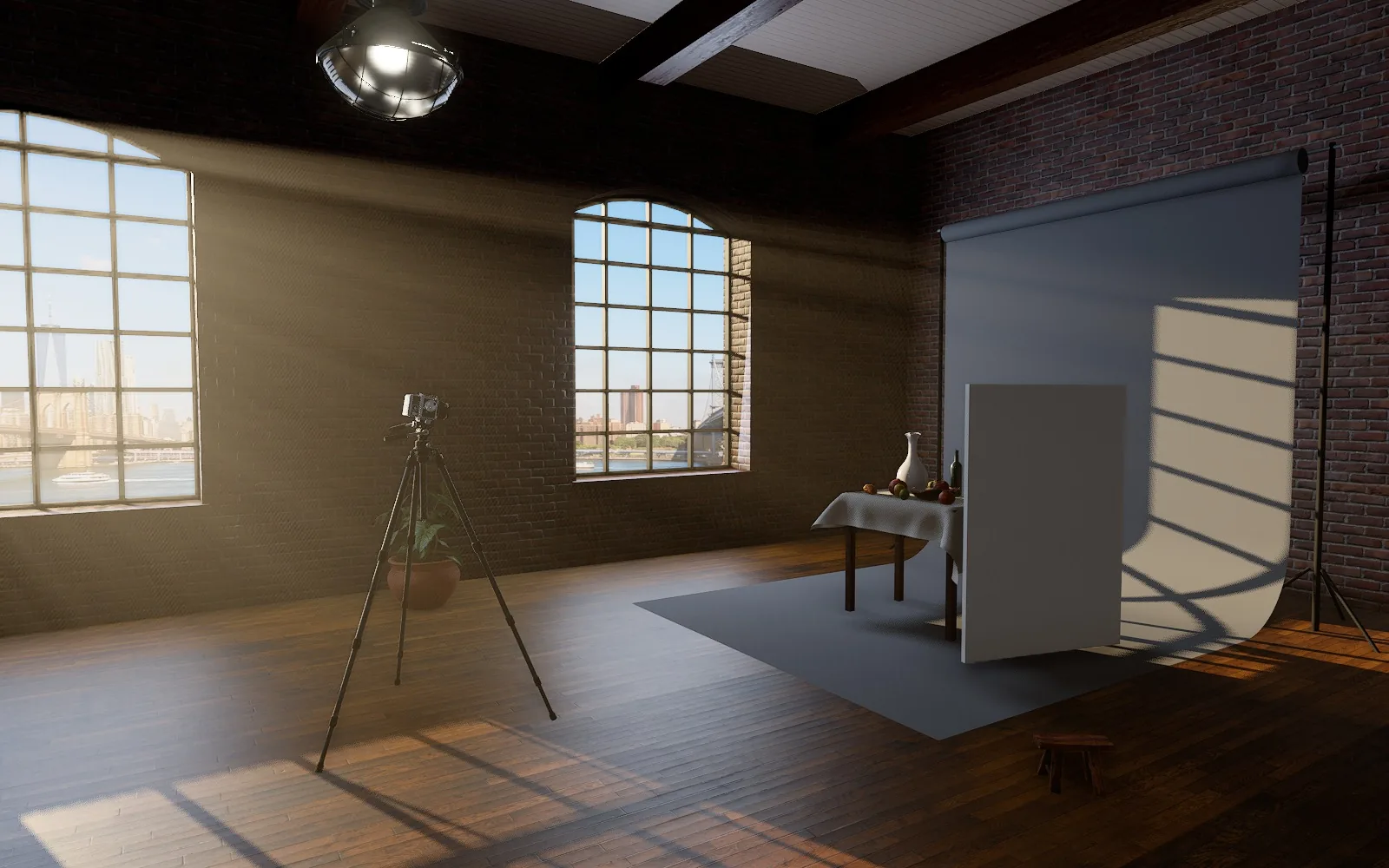
A medium-format film camera in a warehouse loft over the East River. Window light or soft boxes, white paper or black — light a still life, let GlassMeter read the light, and take a picture.
Pick a light under Light Press METER on the phone Press the white shutter button
Where to stand The seamless
Explore
LightC
Move tripodV
Watch the dayY
Wait for wildlifeO
LandmarksI
Camera
Open hoodW
Look inD
LoupeZ
Preview depthX
Tripod headH
Take apartE
Page
SoundN
ShareK
About?
18:36
AVERAGE
Portra 400
Drag to aim · click to spot-meter · double-click to focus
DoF —
—
EV —
METER
Where to stand Jump to a viewpoint, or to a moment worth the trip — the day, the hour, the weather and the lens, already set.
All Best light Ansel Adams
Click the ground to set the tripod down · Esc to cancel
✕
About this page
A meterless camera, a real loft.
This camera was made in 1988 without a light meter: photographers carried one in their pocket. GlassMeter is that meter for your phone, with 30 films and the Zone System built in. Here you can use both together in a Brooklyn loft studio, with the sun over DUMBO for any day you choose.
What's real
The light. The sun follows its true path over DUMBO for the date and hour you choose and comes in through the windows; the sky through the glass and every soft box are true area lights, set in lux, and the room bounces their light around. Scene brightness is calibrated so a grey card in noon sun meters EV 15.The film. The curves, grain, halation and filter responses are the app's own code, ported line for line.The optics. Field of view, depth of field and the aperture scale come from the lens maker's published data. The camera's screen shows the lens wide open and mirror-reversed, as the real one does.
How to shoot
Drag inside the phone's viewfinder to aim.
Optional: click the brightest and darkest things you care about. Each pin shows how light or dark it will print — its zone , from 0 (black) through V (mid-grey) to X (white).
Press METER : the free dial turns to the right exposure. Press the grey button at a dial's hub to lock it (it turns red).
Double-click the viewfinder to focus there, or turn the lens's focusing ring in 3D.
Press the white shutter button. The mirror flips, the shutter clicks, and your print develops in the tray.
Keys
M meter · F shoot · L next lens · G show or hide the phone[ ] aperture · − = shutter speed · , . focus · arrows aimB where to stand · C light · V move the tripod · Y watch the day · P pause time · T time speedW open the hood · D look in · Z loupe · X preview depth · H tripod head · E take apartN sound · K share link · ? this panel · Esc close
Credits
Brick, wood, linen and the still-life objects and furniture: Poly Haven (CC0) photo scans. The views from the windows: the site's own AI-generated images (Google Flow). The radio's music: the site's own AI-generated tracks (Google Flow Music). The city sounds are synthesised. The camera is modelled from the original service manual's drawings and the lens datasheets; it carries a Glass Works nameplate and is not affiliated with the original maker. Built with three.js.
Grinding the glass…
Setting up the studio — a few seconds the first time.
 GLASSMETER
GlassMeter / Loft Studio
GLASSMETER
GlassMeter / Loft Studio